
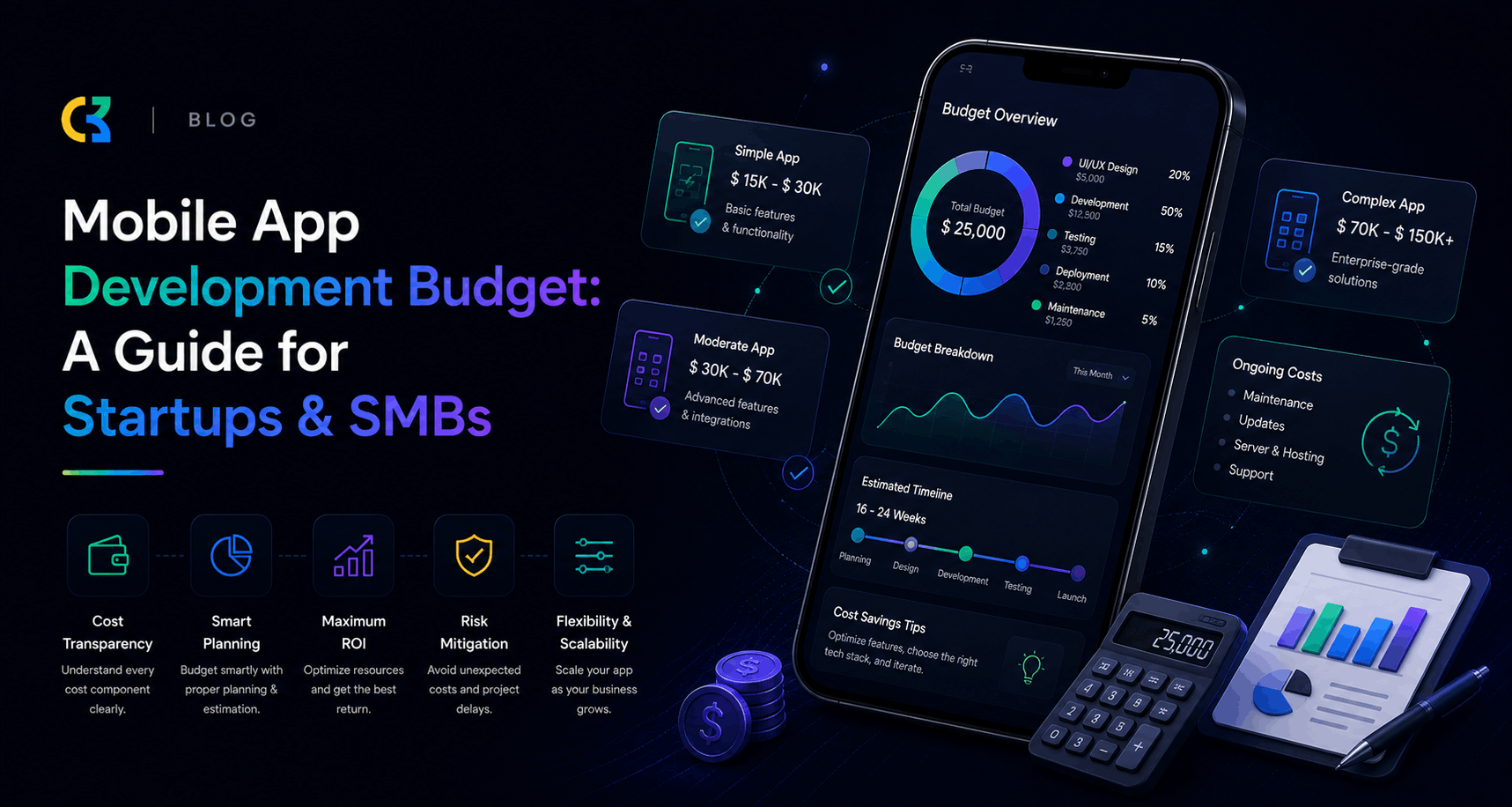
The $171,450 Question
Let’s be upfront about something. The moment you start asking about mobile app development cost, you will get a dozen different numbers from a dozen different sources. Some say $10,000. Others say $500,000. Both can technically be right—and that is exactly why this guide exists.
Building a mobile app in 2026 is not like buying a product off a shelf. The price depends on what you need, who builds it, where they are based, what technology your app requires, and how much ongoing support you want after launch. A simple booking tool for a local business looks nothing like a HIPAA-compliant healthcare platform or a real-time trading app for a fintech firm.
According to industry data compiled from over 5,000 app development projects, the average cost of custom mobile app development is $171,450** in 2025–2026, though most small-to-mid business applications fall between **$50,000 and $120,000.
But here is the truth that most guides won’t tell you: that average is misleading. The real range is incredibly wide—from as little as $10,000 for the simplest applications to well over $500,000 for advanced enterprise platforms.
This guide exists to help you understand exactly where your money goes, how to avoid costly mistakes, and how to plan a realistic budget that sets your startup or SMB up for success.
Chapter 1: Why App Development Costs Vary So Much
Before we dive into numbers, you need to understand why the same app concept can cost $40,000 from one team and $150,000 from another. App development cost is not a single variable. It is the output of at least seven interacting factors.
The Cost Formula
Estimated Cost = (Number of Features × Complexity Weight) × Hourly Rate × Estimated Development Hours
Discovery (10%) + Design (15%) + Development (50%) + QA and Testing (15%) + Deployment and Launch (10%) = Total Build Cost
To that total, add 15–25% annually for ongoing maintenance from year one onward.
The Seven Factors That Drive Cost
- Feature complexity — A simple login costs $5,000–$10,000; biometric authentication with 2FA costs $10,000–$20,000.
- Platform choice — iOS only, Android only, or both? Native or cross-platform?
- Team location — US developers bill $100–$200/hour; Eastern Europe $40–$80/hour; India $25–$55/hour.
- Design complexity — Custom animations, accessibility compliance, and multi-language support add significant hours.
- Backend requirements — A simple API costs far less than a real-time, load-balanced server architecture.
- Security and compliance — Healthcare (HIPAA), finance (PCI-DSS), or enterprise SSO add 20–50% to your budget.
- AI and emerging tech — Integrating generative AI, on-device ML, or agentic workflows adds a 20% to 50% premium.
Chapter 2: The Complete Cost Breakdown by App Complexity
Industry data breaks apps into four distinct complexity tiers. Understanding where your project fits is the first step to realistic budgeting.
Tier 1: Simple / MVP Apps ($15,000 – $40,000)
What you get: 3–5 screens, static or read-only content, basic UI/UX design, minimal or no backend, single platform (iOS or Android).
Examples: Calculators, informational apps, simple booking tools, initial prototypes, and basic utility apps such as a business card scanner app that uses OCR to turn paper cards into saved contacts.
Best for: Validating an idea, testing market fit, or launching a minimum viable product on one platform.
Tier 2: Mid-Level Business Apps ($40,000 – $100,000)
What you get: User registration and authentication, REST API integration, push notifications, 6–15 screens, custom UI components, basic admin panel, cross-platform (React Native or Flutter).
Examples: On-demand services, e-commerce stores, booking systems, fitness trackers, marketplace platforms.
Best for: Startups and SMBs launching a production-ready product on both iOS and Android.
Tier 3: Advanced / Complex Apps ($100,000 – $250,000+)
What you get: Real-time features (chat, live data), third-party integrations (payment gateways, EHR systems), role-based access, offline mode, dedicated server architecture, compliance requirements (HIPAA, PCI-DSS).
Examples: Fintech platforms, healthcare apps, social networks, complex SaaS products.
Best for: Businesses with established product-market fit scaling to thousands of users.
Tier 4: Enterprise-Grade Platforms ($250,000 – $500,000+)
What you get: Agentic AI, LLM integration, ERP/CRM connectivity, multi-region deployment, advanced security, SSO, offline-first architecture.
Examples: Enterprise resource planning tools, multi-sided marketplaces, AI-powered platforms, flagship consumer products.
Timeline: 8–18+ months
Best for: Large enterprises or high-growth startups with significant funding and complex requirements.
Chapter 3: Where Your Money Actually Goes (Phase-Wise Breakdown)
When you pay for a mobile app, you are not paying for one thing. You are paying for 10 to 12 distinct workstreams, each with its own cost, timeline, and risk profile.
Phase 1: Discovery and Product Strategy ($3,000 – $10,000)
This is where the product gets defined. Features get prioritized. Technical decisions get made. Teams that skip this phase almost always pay for it later through scope creep, missed requirements, and expensive rework. It is one of the most important investments in the entire project.
What’s included: Requirements gathering, market research, competitive analysis, technical feasibility study, feature prioritization, roadmap planning.
Phase 2: UI/UX Design ($5,000 – $30,000)
A basic screen layout costs less. Custom design systems, branded animations, multi-role dashboards, and accessibility compliance for US markets cost more.
What’s included: Wireframing, user flows, high-fidelity mockups, interactive prototypes, design systems, usability testing.
Phase 3: Frontend / Mobile Development ($10,000 – $60,000)
This is everything the user touches. Screens, navigation, transitions, state management. The more logic lives in the frontend, the higher this number climbs.
What’s included: Building the mobile app interface, connecting to APIs, implementing navigation, state management, animations, offline capabilities.
Phase 4: Backend Development ($15,000 – $80,000)
Your backend handles everything users do not see. Authentication, business logic, admin controls, real-time data sync, notifications. A complex backend serving thousands of concurrent users looks nothing like a simple API connecting to a database.
What’s included: Server setup, API development, database design and implementation, cloud infrastructure, admin panels, third-party integrations.
Phase 5: Testing and QA ($10,000 – $50,000)
Quality assurance is not optional—it is what separates a polished product from a buggy disappointment. This phase includes automated tests, manual testing, security audits, and performance optimization.
What’s included: Our software testing strategies include unit, integration, acceptance, performance, security, compatibility testing, and bug fixing.
Phase 6: Deployment and Launch (10% of total budget)
Getting your app into the App Store and Google Play requires more than just clicking “submit.”
What’s included: App store optimization (ASO), store listings, screenshots, app submission, compliance reviews, launch strategy.
Phase 7: Project Management (10–15% throughout)
A dedicated project manager keeps everything on track, manages communication, handles scope changes, and ensures deliverables meet expectations.
Chapter 4: Platform Choice and Its Impact on Budget
One of the most consequential decisions you will make is which platforms to build for. Your choice affects not just your initial budget, but your long-term maintenance costs and time-to-market.
Native Development (iOS + Android)
Native apps—built separately for iOS using Swift and for Android using Kotlin—deliver the best performance and deepest platform integration.
The cost: Building two separate native apps roughly doubles your development budget compared to a single-platform build.
When to choose native:
- Your app depends on hardware-level access (biometrics, ARKit, secure enclave)
- You handle high transaction volumes
- You operate in regulated industries (finance, healthcare)
- Peak performance is non-negotiable
Cost range: iOS: $30,000–$250,000; Android: $35,000–$280,000
Cross-Platform Development (React Native / Flutter)
Cross-platform development using React Native or Flutter reduces costs by 30 to 50 percent compared to building two separate native apps.
The benefit: One codebase, both platforms. Faster iterations, easier maintenance, and a significantly lower total investment.
When to choose cross-platform:
- You need to reach both iOS and Android audiences
- You are a startup or SMB with budget constraints
- Your app is a standard business application (not graphics-intensive)
- You want faster time-to-market
Cost range: $40,000 for a focused MVP to over $300,000 for a polished cross-platform product with real backend depth.
Our recommendation: For most business applications in 2026, cross-platform is the recommended starting point. At Codemites, we specialize in cross-platform development using React Native and Flutter, helping startups and SMBs launch on both iOS and Android with a single investment. Explore our mobile app development services →
Chapter 5: Team Choice—Freelancer vs. Agency vs. In-House
Your choice of development partner is perhaps the most critical factor in your app’s success—and your budget.
Freelancers
Cost: $25,000–$80,000 for a typical project
Pros:
- 40–60% less expensive than agencies for the same scope
- Direct access to the developer
- Flexible engagement
Cons:
- Require more project management from your side
- Limited skill diversity (one person can’t be expert in everything)
- Higher risk of delays or abandonment
- No backup if the freelancer becomes unavailable
Best for: Very simple apps, tight budgets, or projects where you have technical expertise to manage the developer.
Development Agencies
Cost: $50,000–$300,000+
Pros:
- Full team with diverse skills (designers, developers, QA, project managers)
- Established processes and quality standards
- Accountability and professional contracts
- Scalability and reliability
Cons:
- Higher upfront cost
- Less direct control (you communicate through a project manager)
Best for: Production-ready apps, complex projects, businesses without internal technical expertise, and anyone who values reliability over cost savings.
In-House Team
Cost: $120,000–$400,000+ per year (salaries, benefits, overhead)
Pros:
- Full control and alignment with company culture
- Dedicated focus on your product
- Institutional knowledge stays within the company
Cons:
- Highest cost option
- Recruitment and retention challenges
- Slow to scale up or down
Best for: Large enterprises, companies where the app is the core product, and organizations with significant technical resources.
The Verdict
For most startups and SMBs, a development agency offers the best balance of cost, quality, and reliability. You get a full team without the overhead of hiring in-house, and you get professional processes without the risk of relying on a single freelancer.
At Codemites, we provide dedicated development teams that combine the cost-efficiency of offshore talent with the quality and reliability of a professional agency. Contact us to discuss your project →
Chapter 6: Geographic Cost Differences
Where your development team is located has a massive impact on your budget. The same scope of work can cost 3–5x more depending on geography.
| Region | Hourly Rate | Typical Project Cost (Mid-Complexity) |
|---|---|---|
| USA / Canada | $100–$250 | $150,000–$400,000 |
| Western Europe | $50–$150 | $40,000–$300,000 |
| Eastern Europe | $40–$80 | $50,000–$80,000 |
| India / Asia | $25–$55 | $25,000–$45,000 |
The reality check: A medium-complexity app costs $25,000–$45,000 from India, $50,000–$80,000 from Eastern Europe, or $80,000–$150,000 from the US. The deliverable—a functional, polished, production-ready mobile app—is the same.
The Trade-Offs
Lower hourly rates don’t automatically mean lower total cost or lower quality. However:
- US/Western Europe: Highest rates but often better communication, cultural alignment, and easier timezone collaboration
- Eastern Europe: Excellent quality-to-cost ratio, strong technical talent, reasonable timezone overlap with Europe and US East Coast
- India/Asia: Most cost-effective, large talent pools, 24/7 development possible, strong technical education systems
Codemites is headquartered in India, offering world-class mobile app development at a fraction of US costs—without compromising on quality, communication, or professionalism. See our portfolio →
Chapter 7: Feature-by-Feature Cost Breakdown
Understanding what individual features cost helps you make intelligent prioritization decisions about what to build initially and what to defer to future versions.
Core Features (The Foundation)
Advanced Features
The ROI Rule
Apps that prioritize essential features and leverage push notifications for engagement see 65% of users return to the app within 30 days.
The lesson: Build the core features that deliver value first. Add bells and whistles later. Your users will thank you—and so will your budget.
Chapter 8: The Hidden Costs Most Businesses Miss
Here is the harsh reality: most businesses budget for the build and forget everything else. The full 3-year total cost of ownership is usually 2 to 4x that initial build figure once hosting, maintenance, and ongoing iteration are factored in.
1. App Store and Google Play Fees
- Apple Developer Program: $99/year
- Google Play Developer Account: $25 (one-time)
2. Backend Infrastructure and Hosting
Your app’s backend runs continuously and incurs recurring costs:
| Infrastructure Tier | Monthly Cost | Annual Cost |
|---|---|---|
| Simple (Firebase/Supabase) | $25–$200 | $300–$2,400 |
| Mid-scale (Node.js + PostgreSQL on AWS/GCP) | $200–$800 | $2,400–$9,600 |
| High-traffic (load-balanced, Redis, CDN) | $800–$3,000+ | $9,600–$36,000+ |
3. Third-Party Service Fees
| Service | Monthly Cost |
|---|---|
| Analytics (Mixpanel/Amplitude) | $0–$1,000+ |
| Push Notifications (OneSignal) | $0–$500+ |
| Email Service (SendGrid) | $0–$500+ |
| Cloud Storage (AWS S3) | $0–$500+ |
| Map Services (Google Maps) | $0–$500+ |
4. Annual Maintenance (15–25% of Build Cost)
This is the biggest hidden cost most businesses overlook. A $100,000 app costs **$15,000–$25,000 per year** to maintain.
What maintenance covers:
- iOS/Android OS compatibility updates (mandatory each September/October)
- Bug fixes and crash monitoring
- Security patches
- Dependency updates
- Performance optimization
Why you can’t skip it:
- Apple and Google release OS updates annually. Apps that don’t update compatibility break on new OS versions and eventually get removed from the App Store.
- Apps that stop receiving updates within 18–24 months? That’s 65% of them.
- Apps that ship updates at least once per month see up to 50% higher 90-day retention rates compared to apps that update quarterly or less.
5. Marketing and User Acquisition
Budget at least as much as your development cost for marketing. A beautiful app with no users is just an expensive screensaver.
6. Legal and Compliance
- Privacy policy and terms of service: $1,000–$5,000
- GDPR/CCPA compliance: $2,000–$10,000+
- HIPAA compliance (healthcare apps): $10,000–$50,000+
Chapter 9: The MVP Strategy—Your Smartest Budget Move
If you take one thing away from this guide, let it be this: start with an MVP.
An MVP (Minimum Viable Product) is the simplest version of your app that delivers core value to users. It is not a “cheap” app—it is a strategic app.
Why MVP First?
- Validate before you invest — Test your idea with real users before spending $200,000
- Learn what users actually want — Features you think are essential might be ignored; features you didn’t consider might be the killer app
- Get to market faster — Launch in 3–4 months instead of 9–12
- Iterate based on real data — Build version 2.0 based on actual user behavior, not assumptions
- Raise funding — A working MVP is far more convincing to investors than a PowerPoint
MVP Cost Ranges
| Type | Cost | Timeline |
|---|---|---|
| Simple MVP (single platform, basic features) | $15,000–$40,000 | 3–4 months |
| Validated product (cross-platform, core features) | $80,000–$200,000 | 4–8 months |
What Goes in an MVP?
Include:
- Core user journey (the one thing your app does)
- Essential authentication
- Basic UI/UX (clean, not perfect)
- Critical backend functionality
Defer:
- Advanced animations and custom design systems
- Secondary features and “nice-to-haves”
- Complex integrations
- Multiple user roles
- Advanced analytics
The Lean Startup Approach
- Build the MVP
- Launch to a small group of early adopters
- Measure what they actually use
- Learn what to improve
- Iterate and expand
- Repeat
Codemites specializes in MVP development for startups and SMBs. We help you identify your core value proposition, build a lean MVP, and iterate based on real user feedback. Start your MVP journey →
Chapter 10: Real-World Cost Examples
To make this concrete, here are three real-world scenarios with estimated budgets.
Scenario 1: Local Service Booking App (Simple MVP)
The app: A booking app for a local service business (salon, cleaning, tutoring) with appointment scheduling, basic user profiles, and push notifications.
| Phase | Estimated Cost |
|---|---|
| Discovery & Strategy | $3,000 |
| UI/UX Design | $5,000 |
| Frontend Development (cross-platform) | $10,000 |
| Backend Development | $8,000 |
| Testing & QA | $4,000 |
| Deployment | $2,000 |
| Total Build Cost | $32,000 |
| Annual Maintenance (20%) | $6,400 |
| Hosting (Year 1) | $600 |
| Year 1 Total | $39,000 |
Scenario 2: E-Commerce Marketplace (Mid-Level)
The app: A multi-vendor marketplace with product listings, shopping cart, payment processing, user profiles, seller dashboards, and order tracking.
| Phase | Estimated Cost |
|---|---|
| Discovery & Strategy | $8,000 |
| UI/UX Design | $15,000 |
| Frontend Development (cross-platform) | $25,000 |
| Backend Development | $30,000 |
| Testing & QA | $12,000 |
| Deployment | $5,000 |
| Total Build Cost | $95,000 |
| Annual Maintenance (20%) | $19,000 |
| Hosting (Year 1) | $3,600 |
| Payment Processing Fees | Variable |
| Year 1 Total | $117,600+ |
Scenario 3: FinTech or Healthcare Platform (Complex)
The app: A HIPAA-compliant or PCI-DSS compliant platform with real-time data, multi-role access, advanced security, and AI-powered features.
| Phase | Estimated Cost |
|---|---|
| Discovery & Strategy | $15,000 |
| UI/UX Design | $30,000 |
| Frontend Development (native) | $50,000 |
| Backend Development | $60,000 |
| Testing & QA | $25,000 |
| Compliance & Security | $20,000 |
| Deployment | $10,000 |
| Total Build Cost | $210,000 |
| Annual Maintenance (20%) | $42,000 |
| Hosting (Year 1) | $12,000+ |
| Year 1 Total | $264,000+ |
Chapter 11: How to Choose the Right Development Partner
Your choice of development partner can make or break your app—and your budget. Here is a checklist for choosing wisely.
1. Define Your Requirements First
Start by outlining your app’s purpose, target audience, and core features before approaching any development company. Clear requirements help you communicate expectations effectively and allow developers to propose accurate timelines, budgets, and suitable technologies.
2. Look Beyond the Price Tag
The cheapest quote is rarely the best value. Consider:
- Portfolio quality — Have they built apps like yours?
- Technical expertise — Do they use modern frameworks and best practices?
- Communication — Are they responsive and transparent?
- Process — Do they have a structured discovery, design, development, and QA process?
- Cultural fit — Do they understand your business and market?
3. Ask the Right Questions
- What is your development process?
- How do you handle scope changes?
- What happens if we want to add features mid-project?
- Who will be our point of contact?
- How do you ensure quality?
- What happens after launch? Do you offer maintenance?
- Can we speak to past clients?
4. Check References and Reviews
- Ask for case studies or client testimonials
- Check platforms like Clutch, GoodFirms, or DesignRush
- Request to speak with previous clients
5. Start Small
Consider starting with a discovery phase or a small pilot project before committing to a full build. This lets you evaluate the team’s quality, communication, and reliability with minimal risk.
Chapter 12: Budgeting Checklist for Startups and SMBs
Use this checklist to ensure you haven’t missed anything in your app budget.
Pre-Development
- Market research and validation
- Competitor analysis
- Feature prioritization (MVP vs. full product)
- Platform selection (iOS, Android, or both)
- Technology stack selection (native vs. cross-platform)
- Development partner selection
Development Phase
- Discovery and product strategy ($3,000–$10,000)
- UI/UX design ($5,000–$30,000)
- Frontend development ($10,000–$60,000)
- Backend development ($15,000–$80,000)
- Testing and QA ($10,000–$50,000)
- Project management (10–15% of total)
Launch Phase
- App Store and Google Play submission fees
- App store optimization (ASO)
- Marketing materials (screenshots, app preview video)
- Launch campaign budget
Post-Launch (Recurring)
- Annual maintenance (15–25% of build cost)
- Backend hosting and infrastructure ($300–$36,000+/year)
- Third-party service fees ($0–$1,000+/month)
- App Store and Google Play fees ($99/year + $25 one-time)
- Marketing and user acquisition (at least 1x build cost)
- Legal and compliance updates
- Feature updates and iterations
Contingency
- Add 20–30% buffer for unexpected expenses, scope changes, and delays
Chapter 13: Cost-Saving Strategies That Work
Here are proven strategies to reduce your app development costs without sacrificing quality.
1. Start with an MVP
We’ve said it before, and we’ll say it again: build the minimum, launch fast, iterate based on data.
2. Choose Cross-Platform Development
Save 30–50% compared to building two native apps.
3. Use Existing Solutions
Don’t build what you can buy. Use:
- Firebase for authentication, database, and push notifications
- Stripe or PayPal for payments
- SendGrid or Twilio for emails and SMS
- Mapbox or Google Maps for location services
4. Prioritize Ruthlessly
Ask: “Does this feature deliver immediate value to our users?” If not, defer it.
5. Consider an Offshore Development Partner
Save 50–70% compared to US rates without compromising quality.
6. Plan for Scalability, But Don’t Over-Engineer
Build for 1,000 users today; scale to 100,000 later. Premature optimization is expensive.
7. Establish Clear Requirements
Scope creep is the #1 budget killer. Lock in your requirements before development begins.
8. Use Agile Development
Build in sprints, review progress regularly, and adjust course as needed. This prevents costly rework.
Chapter 14: Why Codemites?
At Codemites, we understand the unique challenges that startups and SMBs face when building a mobile app. You need quality, reliability, and cost-effectiveness—and you need a partner who gets it.
What We Offer
- Cross-platform expertise — React Native and Flutter development for iOS and Android from a single codebase
- MVP focus — We help you launch fast, validate your idea, and iterate based on real user feedback
- Transparent pricing — No hidden fees, no surprises
- Dedicated teams — You get a full team of designers, developers, and QA professionals
- Post-launch support — We don’t disappear after launch; we’re with you for the long haul
- Cost-effective — World-class quality at a fraction of US rates
Our Services
- Mobile App Development — Custom iOS and Android apps
- MVP Development — Launch your minimum viable product fast
- UI/UX Design — Beautiful, user-centered design
- Backend Development — Scalable, secure server architecture
- App Maintenance — Ongoing support and updates
Ready to Build Your App?
Don’t let budget uncertainty hold you back. Contact Codemites today for a free consultation and a realistic cost estimate for your app project. We’ll help you plan a budget that works for your business and build an app that delivers real ROI.
Conclusion: Your App, Your Budget, Your Success
Building a mobile app is a significant investment—but it is also one of the most powerful ways to grow your business in 2026 and beyond. The global mobile app market crossed $935 billion** in 2026 and is projected to surpass **$1.1 trillion by 2029. Mobile apps are no longer a product differentiator—they are a baseline operational requirement.
The key to success is not just building an app—it is building the right app, at the right cost, with the right partner.
Your Next Steps
- Define your app’s core purpose — What problem does it solve?
- Prioritize features — What is essential for launch? What can wait?
- Choose your platform — iOS, Android, or both? Native or cross-platform?
- Set a realistic budget — Include development, maintenance, hosting, and marketing
- Choose the right partner — Find a team that understands your business and your budget
- Start with an MVP — Launch fast, learn fast, iterate fast
- Plan for the long term — Budget for maintenance and ongoing improvement
Remember
- The average app costs $50,000–$120,000 for most SMBs
- Annual maintenance is 15–25% of your build cost
- The full 3-year cost is 2–4x the initial build
- 65% of apps fail in Year 2 because they neglect maintenance
- Apps that update monthly see 50% higher retention
Let’s Build Something Great Together
At Codemites, we’re passionate about helping startups and SMBs turn their app ideas into reality. Whether you’re launching an MVP or building an enterprise-grade platform, we have the expertise, the process, and the commitment to deliver.
Ready to start? Get your free project estimate →
Want to learn more? Explore our services →
This guide was brought to you by Codemites—your trusted partner for mobile app development. We help startups and SMBs build high-quality, cost-effective mobile apps that drive real business results.
Frequently Asked Questions
How much does it really cost to build a mobile app in 2026?
Industry data shows the average is $171,450, but most SMB apps fall between $50,000 and $120,000. Simple MVPs can be as low as $15,000–$40,000, while complex enterprise apps exceed $300,000.
Can I build an app for under $50,000?
Yes—if you start with an MVP, choose cross-platform development, and work with a cost-effective development partner. A simple app on one platform can cost $15,000–$40,000.
What’s the difference between native and cross-platform?
Native apps are built separately for iOS and Android (two codebases, higher cost). Cross-platform apps use one codebase for both platforms (30–50% cheaper).
How much does app maintenance cost?
Budget 15–25% of your original build cost annually. A $100,000 app costs $15,000–$25,000 per year to maintain.
How long does it take to build an app?
Simple MVPs: 2–4 months. Mid-level apps: 4–8 months. Complex apps: 6–12+ months.
Should I hire a freelancer or an agency?
Agencies cost more but offer reliability, full teams, and professional processes. Freelancers are cheaper but require more management and carry higher risk. For most businesses, an agency is the safer choice.
How can I reduce app development costs?
Start with an MVP, choose cross-platform development, use existing third-party services, prioritize ruthlessly, and consider an offshore development partner.
Want a personalized cost estimate for your app? Contact Codemites for a free consultation.